What Is Private Photo Storage?
Learn what private photo storage means, how it differs from normal photo galleries, and how local storage, cloud backup, encryption, and photo vault apps protect private photos and videos.
“Private photo storage is not only about where your photos are saved. It is about who can access them, how they are protected, and whether they can be recovered.”
By Sixbytes
Most people store photos in the default Photos app or gallery on their phone.
That works well for everyday pictures.
But not every photo belongs in a normal gallery.
Some photos and videos are more sensitive.
They may include:
- Family memories
- Personal videos
- Financial documents
- Medical records
- Identification documents
- Private screenshots
- Work-related images
- Travel documents
For this type of content, many users want more control.
That is where private photo storage becomes useful.
What Does Private Photo Storage Mean?
Private photo storage means storing photos and videos in a way that gives them additional privacy protection.
Instead of leaving sensitive content inside the normal photo gallery, users place it inside a protected space.
This protected space may include:
- Passcode access
- Face ID or Touch ID
- Private albums
- Encryption
- Backup controls
- Recovery options
- Local storage controls
- Cloud backup settings
The goal is simple:
Protect private media from unwanted access while keeping it available when needed.
Normal Photo Gallery vs Private Photo Storage
A normal photo gallery is designed for convenience.
It helps you:
- View photos quickly
- Share images easily
- Browse memories
- Sync across devices
- Search and organize photos
That is useful for everyday media.
Private photo storage has a different purpose.
It is designed for:
- Sensitive content
- Controlled access
- Stronger privacy
- Better separation
- Recovery planning
The two systems solve different problems.
Why People Use Private Photo Storage
People use private photo storage for many reasons.
Personal Privacy
Some photos are personal and should not appear during normal photo browsing.
Document Protection
Many people store screenshots of:
- IDs
- Receipts
- Contracts
- Medical records
- Financial records
These files deserve more protection than casual photos.
Family Privacy
Family photos may be meaningful and sensitive.
Some users prefer keeping them away from the main gallery.
Work Privacy
Work-related images, screenshots, or project materials may contain confidential information.
Better Organization
Private storage allows users to separate sensitive content from everyday media.
Common Types of Private Photo Storage
There are several ways to store private photos.
1. Hidden Album
Apple's Hidden Album provides basic privacy for iPhone users.
It allows selected photos and videos to be hidden from the main library.
Modern iPhones can protect Hidden Album using:
- Face ID
- Touch ID
- Device passcode
Hidden Album is convenient because it is built into iOS.
However, it provides limited organization and fewer advanced privacy features than a dedicated vault app.
2. Photo Vault Apps
Photo vault apps are dedicated private storage spaces for photos and videos.
They commonly include:
- Face ID protection
- Passcode protection
- Private albums
- Backup options
- Recovery tools
- Advanced privacy features
Safety Photo+Video is an example of a private photo and video vault designed for users who want more control over sensitive media.
3. Secure Cloud Storage
Some users store private photos in secure cloud storage services.
This can help with:
- Device migration
- Backup recovery
- Multi-device access
However, privacy depends heavily on:
- Encryption
- Account security
- Provider access controls
- Key management
Cloud storage can be useful, but users should understand how their data is protected.
4. Local Storage
Local storage keeps private photos on the device itself.
Benefits include:
- Direct control
- Offline access
- Reduced third-party dependency
Risks include:
- Device loss
- Hardware failure
- Accidental deletion
Local storage is often preferred by privacy-conscious users, but it should be paired with a recovery plan.
5. Hybrid Storage
Hybrid storage combines local access with backup protection.
For example:
- Photos remain accessible on the device.
- Encrypted copies are backed up.
- Recovery remains possible after device loss.
For many users, this provides the best balance between privacy and recovery.
Why Access Control Matters
Private storage begins with access control.
Common methods include:
- Passcodes
- Passwords
- Face ID
- Touch ID
- Pattern locks
Access control determines who can open the private space.
However, access control is only one part of privacy.
A complete private storage system also considers encryption, backup, recovery, and storage location.
Why Encryption Matters
Encryption protects stored data by making it unreadable without the correct keys.
A normal image file can be opened by photo software.
An encrypted file cannot be understood unless it is decrypted first.
This is especially important for cloud backups.
If private photos are backed up outside the device, encryption helps reduce the risk of unauthorized access.
Why Backup Matters
Privacy protects access.
Backup protects recovery.
Both are important.
Without backups, private photos can be lost because of:
- Device theft
- Device damage
- Accidental deletion
- Failed updates
- Hardware problems
A good private photo storage system should help users think about both security and recovery.
Local Storage vs Cloud Backup
Many users ask which is better.
The answer depends on priorities.
Local Storage Is Better For
- Direct control
- Offline access
- Reduced cloud dependency
Cloud Backup Is Better For
- Recovery
- Device migration
- Protection against device loss
Hybrid Storage Is Better For
- Users who want both control and recovery
There is no universal answer.
The right approach depends on how sensitive the content is and how important recovery is.
Private Photo Storage and Device Migration
Changing phones is one of the most common times users discover storage problems.
If photos were stored only locally, they may not automatically appear on the new phone.
If backups were enabled, recovery may be easier.
Before switching phones, users should verify:
- Backup status
- Account access
- Encryption passwords
- Recovery options
- Storage settings
This reduces the risk of losing private media during migration.
Common Mistakes
Mistake 1: Assuming Hidden Means Protected
Hiding a photo does not always mean it has strong protection.
Mistake 2: Forgetting Backups
Private photos can still be lost if no backup exists.
Mistake 3: Using Weak Passcodes
A private vault is only as strong as its access protection.
Mistake 4: Not Understanding Cloud Settings
Users should know whether private files are stored locally, synced, or backed up.
Mistake 5: Erasing Old Devices Too Early
Always verify recovery before resetting or trading in an old phone.
How Safety Photo+Video Approaches Private Photo Storage
Safety Photo+Video is designed to give users more control over private photos and videos.
It includes features such as:
- Face ID and Touch ID protection
- Private albums
- Decoy vaults
- Intruder detection
- Recently deleted recovery
- Local storage flexibility
- Cloud backup options
This combination helps users protect sensitive media while still planning for recovery.
The goal is not only to hide photos.
The goal is to help users store private media responsibly.
Who Needs Private Photo Storage?
Private photo storage may be useful if you:
- Store sensitive photos
- Keep personal videos on your phone
- Save important documents as screenshots
- Want separate private albums
- Need backup protection
- Want stronger privacy than the normal photo gallery provides
For casual users, built-in tools may be enough.
For users storing sensitive or valuable content, dedicated private storage can provide greater peace of mind.
Final Verdict
Private photo storage is about more than hiding pictures.
It is about creating a protected environment for sensitive media.
A good private storage system should consider:
- Access control
- Organization
- Encryption
- Backup
- Recovery
- Storage location
The best solution depends on your balance between privacy, convenience, and recovery.
For many users, a dedicated photo vault app provides the clearest way to manage private photos and videos safely.
Frequently Asked Questions
Protect your private photos and videos
Download Safety Photo+Video for a private media vault with flexible locks and optional zero-knowledge encrypted backup.
Available for iPhone, iPad, and Android.
Related Articles
What Is a Photo Vault App? How It Works
A photo vault app stores selected photos behind a separate lock and may add encryption, backup, recovery, and export. Learn what to verify before using one.
Read articleLocal Storage vs Cloud Photo Vaults: Which Is Better for Privacy?
Compare local storage and cloud photo vaults to understand the differences in privacy, security, backup protection, recovery, and convenience. Learn which approach is best for protecting private photos and videos.
Read article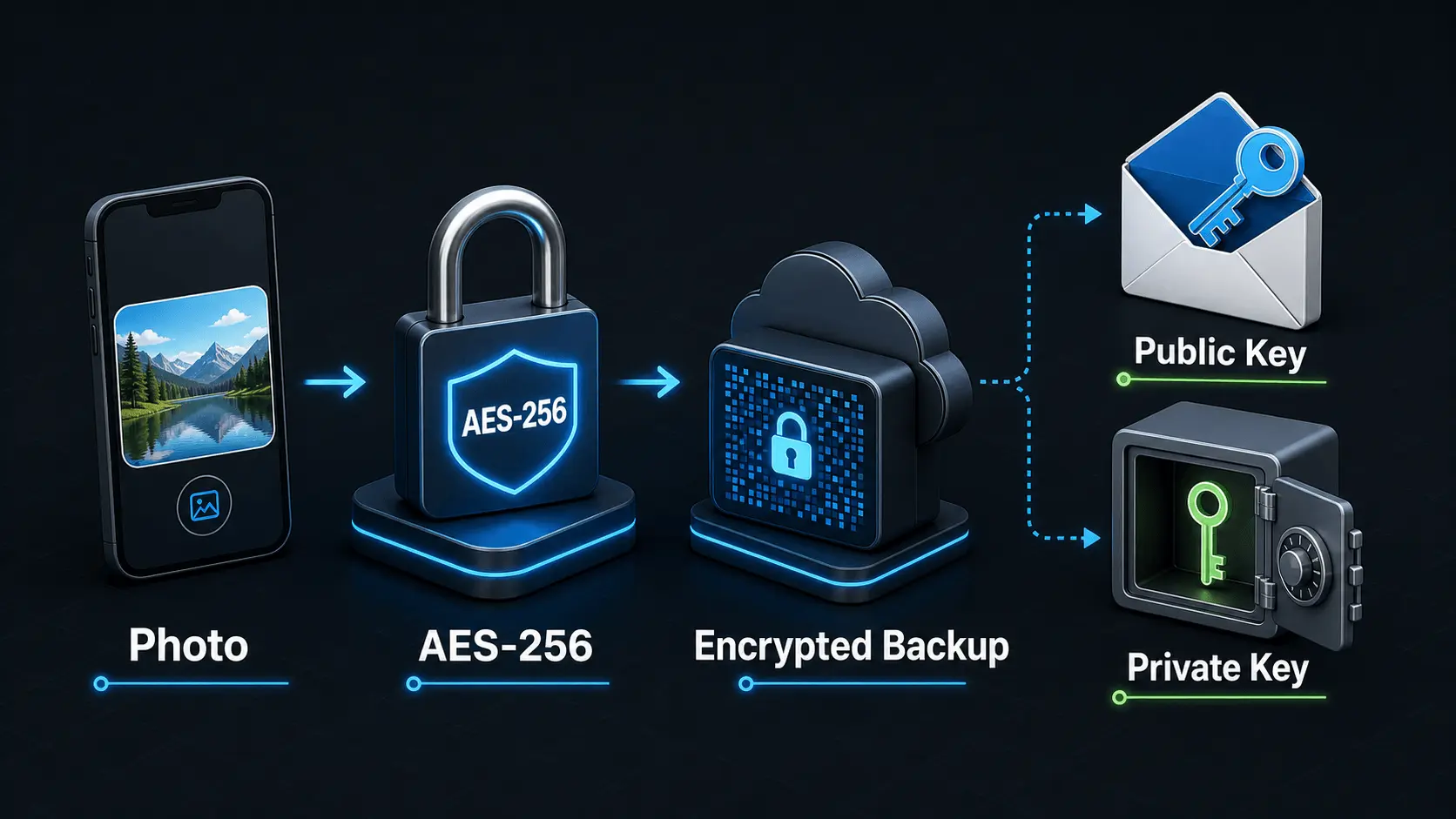
How Does Encryption Work?
A simple explanation of how encryption protects private photos and videos, how AES-256 works in Safety Photo+Video, and how encryption passwords, public keys, and private keys fit together.
Read article