Local Storage vs Cloud Photo Vaults: Which Is Better for Privacy?
Compare local storage and cloud photo vaults to understand the differences in privacy, security, backup protection, recovery, and convenience. Learn which approach is best for protecting private photos and videos.
“The safest storage solution is not always local storage or cloud storage alone. The best approach depends on how you balance privacy, convenience, recovery, and control.”
By Sixbytes
When choosing a private photo vault, one of the biggest decisions is where your photos and videos should be stored.
Some users prefer keeping everything on their device. Others want automatic cloud backup in case their phone is lost or damaged.
This debate often gets simplified into:
Local storage is private. Cloud storage is convenient.
In reality, the answer is more nuanced.
Both approaches offer advantages and tradeoffs. Understanding those tradeoffs can help you choose a storage strategy that matches your privacy expectations and recovery needs.
What Is Local Storage?
Local storage means your photos and videos remain stored directly on your device.
Examples include:
- iPhone internal storage
- iPad storage
- Android device storage
- Local encrypted vaults
When using a local-only photo vault, the files are not automatically uploaded to external servers.
The device itself becomes the primary location where your data exists.
For many privacy-conscious users, this feels like the safest option because it minimizes exposure to third-party systems.
What Is Cloud Storage?
Cloud storage means copies of your files are stored on remote servers.
Examples include:
- Cloud backup services
- iCloud storage
- Google Drive
- Encrypted cloud vaults
Cloud storage allows photos and videos to be restored if a device is lost, damaged, stolen, or replaced.
The main benefit is redundancy.
Your files exist somewhere other than your phone.
Why This Decision Matters
Private photo vaults often contain:
- Family memories
- Personal photos
- Financial documents
- Medical records
- Identification documents
- Sensitive videos
Losing access to these files can be devastating.
At the same time, many users do not want private media stored in systems they do not fully control.
That creates a natural tension between privacy and convenience.
The Advantages of Local Storage
Local storage remains popular because it offers a high degree of control.
Direct Ownership
Your files remain on your device.
You decide:
- Where they are stored
- When they are deleted
- Whether they are backed up
Many users appreciate this level of ownership.
Reduced Exposure
Local storage reduces the number of systems that interact with your data.
Fewer systems can mean:
- Fewer potential attack surfaces
- Less dependence on third-party services
- Greater confidence in where files reside
Faster Access
Photos stored locally can often be accessed immediately without relying on:
- Internet connections
- Cloud synchronization
- Server availability
For large media libraries, this can improve performance.
Privacy Confidence
Some users simply feel more comfortable knowing that sensitive files never leave their device.
This psychological benefit should not be underestimated.
The Risks of Local Storage
While local storage offers control, it also introduces risks.
Device Loss
If your phone is lost or stolen, your files may disappear with it.
Hardware Failure
Phones eventually fail.
Storage devices can become corrupted.
Without backups, important photos may be impossible to recover.
Accidental Deletion
Many users underestimate how often accidental deletion occurs.
A mistaken tap can permanently remove valuable content.
Device Upgrades
Moving data between devices becomes more complicated when everything is stored locally.
The Advantages of Cloud Storage
Cloud storage solves many of the problems associated with local-only storage.
Backup Protection
If your device is lost, cloud backups can allow you to recover:
- Photos
- Videos
- Albums
- Metadata
This is often the biggest reason users choose cloud storage.
Multi-Device Access
Cloud storage makes it easier to access content across:
- Phones
- Tablets
- Computers
This convenience can be extremely valuable.
Easier Migration
Upgrading to a new phone becomes significantly simpler when backups already exist.
Disaster Recovery
Cloud copies can protect against:
- Theft
- Hardware failure
- Water damage
- Device loss
The Risks of Cloud Storage
Cloud storage is not perfect.
Users should understand potential tradeoffs.
Trust Requirements
Cloud storage requires trust.
You must trust:
- The service provider
- The infrastructure
- The security model
Understanding how your provider protects data is important.
Account Security
Cloud accounts become attractive targets.
Strong passwords and multi-factor authentication help reduce risk.
Privacy Concerns
Many users worry about who can access their stored files.
This is where encryption becomes critical.
The Role of Encryption
Encryption changes the local-versus-cloud conversation.
Without encryption:
- Anyone with access to storage may potentially access files.
With strong encryption:
- Files become unreadable without the proper keys.
This allows cloud storage to provide recovery benefits while maintaining privacy.
The strength of this protection depends on how encryption keys are managed.
What Is Zero-Knowledge Storage?
A zero-knowledge design aims to ensure that the service provider cannot view your files.
In a simplified model:
- Files are encrypted before upload.
- Encryption keys remain under user control.
- The provider stores encrypted data.
- The provider cannot read the contents.
This creates a stronger privacy boundary compared to traditional cloud storage.
However, it also introduces additional responsibility.
If users lose their encryption credentials, recovery may become difficult or impossible.
The Hybrid Approach
Many modern photo vaults are moving toward a hybrid model.
Instead of choosing local or cloud storage exclusively, users can combine both.
The workflow often looks like this:
- Photos remain available locally.
- Encrypted backups are created.
- Cloud copies protect against loss.
- Recovery remains possible when needed.
This approach attempts to combine the advantages of both systems.
Which Storage Method Is Better?
The answer depends on your priorities.
Choose Local Storage if:
You prioritize:
- Maximum control
- Reduced third-party exposure
- Offline access
- Simplicity
Choose Cloud Storage if:
You prioritize:
- Automatic backup
- Device recovery
- Multi-device access
- Convenience
Choose a Hybrid Solution if:
You want:
- Local access
- Backup protection
- Recovery options
- Privacy controls
For many users, the hybrid model provides the best balance.
How Safety Photo+Video Approaches Storage
Safety Photo+Video is designed around flexibility rather than forcing users into a single storage philosophy.
Users can choose:
- Local storage workflows
- Cloud backup workflows
- Combined approaches
This allows users to adapt storage decisions based on their privacy requirements and recovery goals.
As privacy technologies evolve, additional protections such as zero-knowledge encryption can further strengthen cloud backup privacy.
The objective is simple:
Protect private media without forcing users to sacrifice either privacy or recovery.
Common Myths
Myth: Local Storage Is Always Safer
Not necessarily.
Local storage protects against some risks but increases exposure to others, such as device loss and hardware failure.
Myth: Cloud Storage Is Always Insecure
Not necessarily.
Strong encryption can significantly improve cloud storage privacy.
Myth: Backups Are Optional
Many users only appreciate backups after they need them.
Regular backup verification remains one of the most important habits for protecting valuable photos and videos.
Final Verdict
The choice between local storage and cloud storage is not about finding a universally correct answer.
It is about understanding tradeoffs.
Local storage offers control and privacy confidence.
Cloud storage offers recovery and convenience.
For many users, the best solution combines both approaches through encrypted backups and flexible storage controls.
The most important question is not whether your files are stored locally or in the cloud.
The most important question is whether your private photos and videos will still be available when you need them most.
Frequently Asked Questions
Protect your private photos and videos
Download Safety Photo+Video for a private media vault with flexible locks and optional zero-knowledge encrypted backup.
Available for iPhone, iPad, and Android.
Related Articles
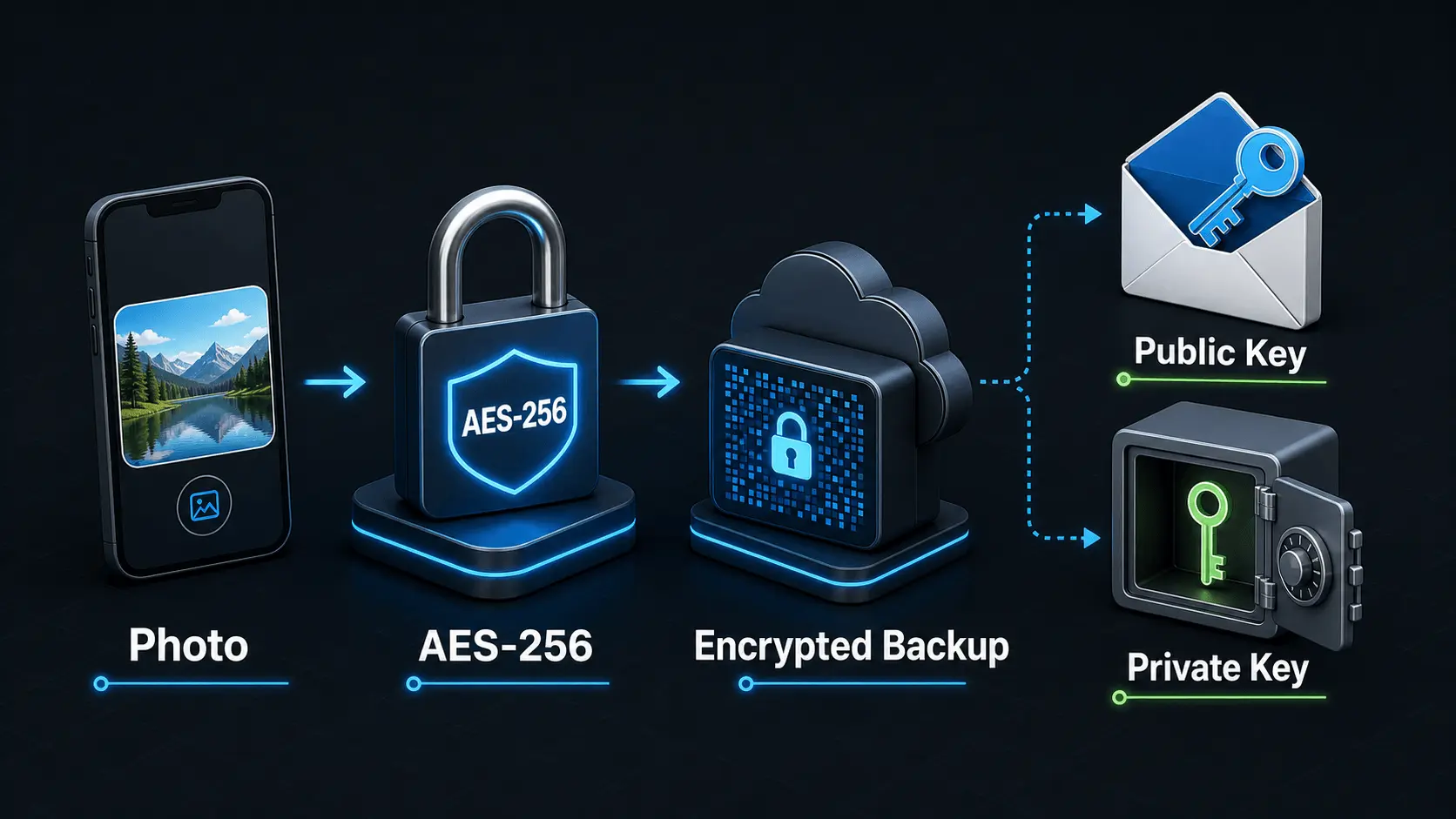
How Does Encryption Work?
A simple explanation of how encryption protects private photos and videos, how AES-256 works in Safety Photo+Video, and how encryption passwords, public keys, and private keys fit together.
Read articlePhoto Vault Apps for iPhone (2026): 5 Compared
Compare five iPhone photo-vault options by separate locks, storage, backup, recovery, privacy disclosures, and limitations to find the right fit.
Read articlePrivate Photo Backups: A Practical Starting Guide
A practical guide to building a private photo and video backup routine that protects sensitive media, stays current automatically, and gives you a clear restore plan before a device is lost, damaged, or replaced.
Read article