Private Photo Backups: How to Protect Your Photos Without Losing Privacy
Learn how private photo backups work, the differences between local storage and cloud backups, and how to protect your photos while maintaining privacy and recovery options.
“The safest backup is not the one that is hardest to access. It is the one that protects your privacy while still allowing recovery when you need it.”
By Sixbytes
Most people don't think about backups until something goes wrong.
A lost phone, damaged device, failed update, accidental deletion, or hardware problem can instantly turn years of memories into unrecoverable data.
At the same time, many users worry about uploading private photos and videos to cloud services.
This creates an important question:
How do you protect your photos without sacrificing privacy?
The answer begins with understanding how modern photo backups work.
Why Private Photo Backups Matter
Private photos often include:
- Family memories
- Financial documents
- Medical records
- Personal videos
- Identification documents
- Important screenshots
Many of these files cannot be recreated.
Without backups, a single device failure may result in permanent loss.
What Is a Photo Backup?
A photo backup is simply a second copy of your files stored somewhere other than the original location.
The goal is recovery.
If the original device is lost, damaged, or replaced, the backup can restore your data.
A good backup should protect against:
- Device loss
- Theft
- Hardware failure
- Accidental deletion
- Device upgrades
The Three Types of Photo Backups
Local Backup
Files remain stored on:
- Your phone
- External drives
- Personal computers
Advantages:
- Direct control
- No third-party storage
Risks:
- Physical damage
- Device loss
- No off-site protection
Cloud Backup
Files are copied to remote servers.
Advantages:
- Recovery from anywhere
- Device replacement protection
- Automatic syncing
Risks:
- Requires trust in the provider
- Privacy depends on security architecture
Hybrid Backup
A combination of local and cloud storage.
Advantages:
- Local access
- Cloud recovery
- Multiple layers of protection
For many users, this provides the best balance.
Privacy vs Recovery
One of the biggest mistakes people make is assuming privacy and backup are opposing goals.
They are not.
Strong privacy should not require giving up recovery.
Likewise, good recovery should not require sacrificing privacy.
The goal is finding the right balance.
Why Encryption Matters
Encryption protects backup data by making it unreadable without the proper keys.
Instead of storing a normal photo:
Photo.jpg
the backup stores encrypted data.
Without the correct key:
- The file cannot be viewed
- The contents remain private
- Unauthorized access becomes significantly more difficult
This is why encryption plays such an important role in private backups.
Common Backup Mistakes
Assuming iCloud Is a Backup
Synchronization and backup are not always the same thing.
Users should understand exactly how their storage system works.
Never Testing Recovery
A backup is only useful if it can actually be restored.
Storing Everything in One Place
Multiple backup locations reduce risk.
Ignoring Privacy Settings
Many users never review how their backups are protected.
How Safety Photo+Video Approaches Backups
Safety Photo+Video is designed to help users balance privacy and recovery.
Users can choose:
- Local storage workflows
- Cloud backup workflows
- Combined approaches
This flexibility allows different privacy preferences without forcing everyone into a single model.
As future encryption technologies evolve, additional privacy protections can further strengthen backup security.
Final Verdict
Private photo backups are not about choosing between privacy and recovery.
They are about protecting both.
A good backup strategy should:
- Protect your files
- Protect your privacy
- Protect your ability to recover
The most important backup is the one that exists before something goes wrong.
Frequently Asked Questions
Protect your private photos and videos
Download Safety Photo+Video for a private media vault with flexible locks and optional zero-knowledge encrypted backup.
Available for iPhone, iPad, and Android.
Related Articles
Local Storage vs Cloud Photo Vaults: Which Is Better for Privacy?
Compare local storage and cloud photo vaults to understand the differences in privacy, security, backup protection, recovery, and convenience. Learn which approach is best for protecting private photos and videos.
Read article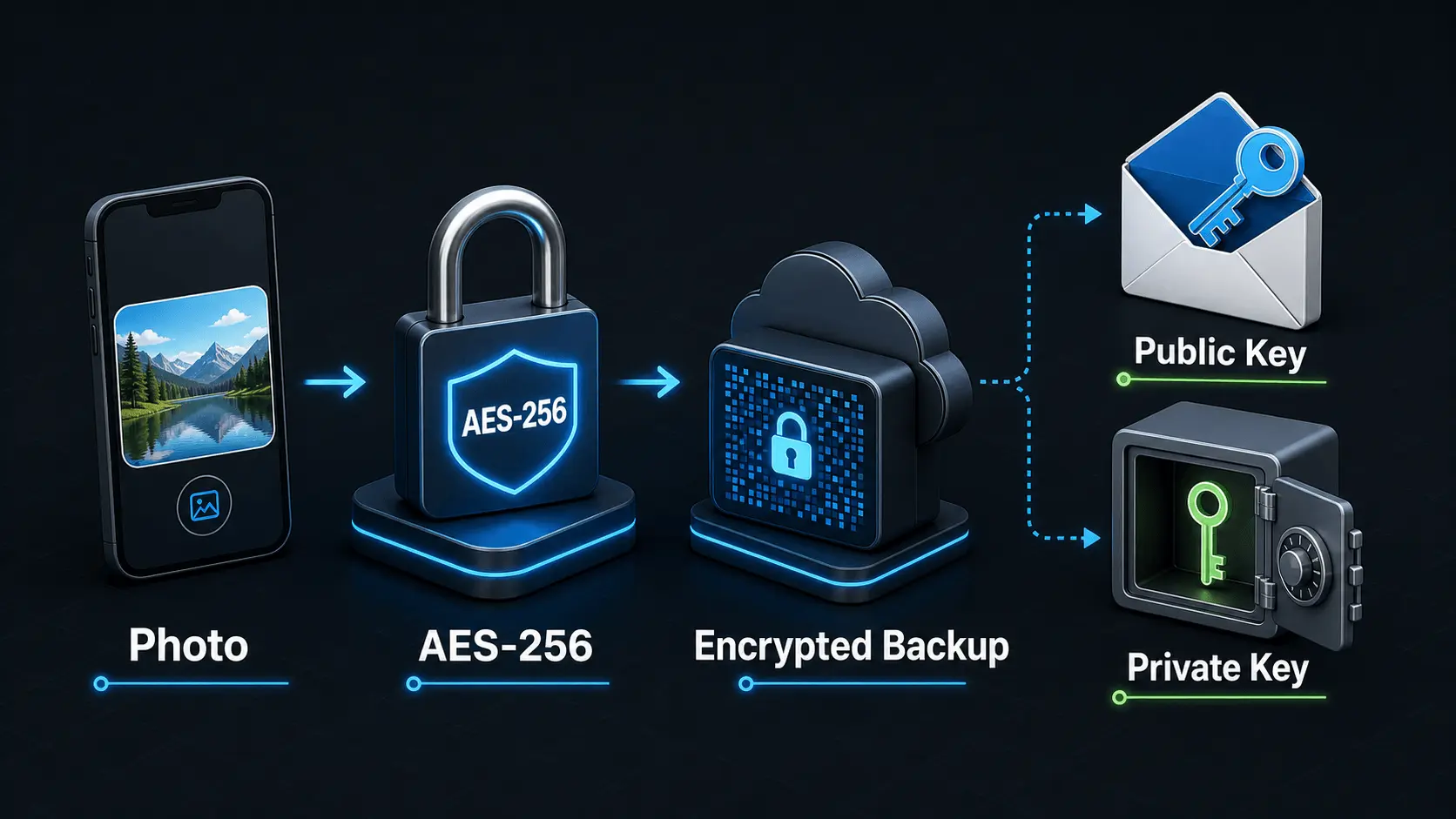
How Does Encryption Work?
A simple explanation of how encryption protects private photos and videos, how AES-256 works in Safety Photo+Video, and how encryption passwords, public keys, and private keys fit together.
Read articleHow to Hide Photos on iPhone Securely in 2026
Learn the safest ways to hide photos on iPhone, including Apple's Hidden Album, Face ID protection, private photo vault apps, encrypted backups, and advanced privacy features.
Read article