A secure photo or video upload needs more than a padlock icon. The connection, stored file, encryption keys, account, metadata, and restore process all form part of the protection.
The simplest way to evaluate an upload is to follow the file through three stages: before it leaves the phone, while it travels, and after it reaches storage.
Stage 1: protection before upload
A phone's screen lock and storage encryption help protect data on a locked device. They do not automatically prevent an authorized app from reading a photo that you choose to upload.
Some privacy services add client-side encryption. The app encrypts the file on the device before transmission. If the provider never receives a usable decryption key, the stored object can remain unreadable to the provider.
Verify:
- whether encryption happens before upload;
- which photos, previews, and thumbnails are covered;
- where the key is generated;
- whether the provider stores a recoverable key copy; and
- what happens when the encryption password is lost.
“AES-256” identifies an algorithm and key size. It does not, by itself, explain how keys are generated, stored, recovered, or separated from encrypted files.
Stage 2: protection in transit
Transport Layer Security, or TLS, protects data moving between an app and a server. NIST describes TLS as providing mechanisms to protect data during electronic transmission over the internet.
TLS helps reduce interception and tampering on the network. It does not determine whether the server can read a file after TLS terminates. That depends on the application's storage encryption and key design.
Avoid uploads over networks that force you through suspicious login pages or install unknown certificates. Keep the app and operating system current, and stop if the browser or app reports a certificate problem.
Stage 3: protection in storage
Server-side encryption protects stored media if drives, snapshots, or infrastructure are exposed. Ask whether the service encrypts:
- original files;
- generated previews;
- temporary upload chunks;
- backups of the storage system; and
- deleted files during a retention window.
Provider-managed server encryption is useful, but the provider normally controls the key. User-controlled or zero-knowledge designs aim to create a different boundary by withholding the content-decryption key from the provider.
Metadata can remain outside the encrypted file
Even when photo content is encrypted, a service may process account details, file sizes, dates, device identifiers, billing records, and upload status. A privacy policy should explain which operational data is needed and how long it is retained.
Location metadata may also remain inside the photo itself. Remove location before sharing when it could reveal a home, school, workplace, or travel pattern.
Reliability is part of security
An upload that silently skips large videos is not a dependable backup. Test:
- one recent photo;
- one older photo;
- one edited image;
- one long or high-resolution video; and
- one file captured while offline and uploaded later.
Interrupt the connection once. Confirm that the app resumes safely rather than creating an incomplete item that looks finished.
Then restore the samples on a supported device and export them. A successful upload notification is not the same as a usable recovery.
A practical verification table
| Layer | Main question | Evidence to look for |
|---|---|---|
| Device | Who can open the app? | Screen lock plus app authentication |
| Before upload | Is the file already encrypted? | Specific client-side encryption statement |
| In transit | Is the connection protected? | Current TLS/HTTPS without certificate errors |
| Storage | Who controls the decryption key? | Clear key-management and recovery explanation |
| Recovery | Can you get the original back? | Tested restore and export |
For the basics, read how encryption works. For a hands-on recovery exercise, use the private photo backup test.
Safety Photo+Video publishes this article. Its current App Store listing says optional backups are encrypted on the device before upload and that only the user holds the key needed for decryption and restore. Treat that as a vendor statement and test it with ordinary media. If that model fits your threat and recovery needs, review the photo and video vault app.
Sources
- NIST, Guidelines for TLS implementations
- NIST, Key Management Guidelines
- Apple, Safety Photo+Video App Store listing
Sources checked July 28, 2026.
Frequently asked questions
Protect your private photos and videos
Download Safety Photo+Video for a private media vault with flexible locks and optional zero-knowledge encrypted backup.
Available for iPhone, iPad, and Android.
Related articles
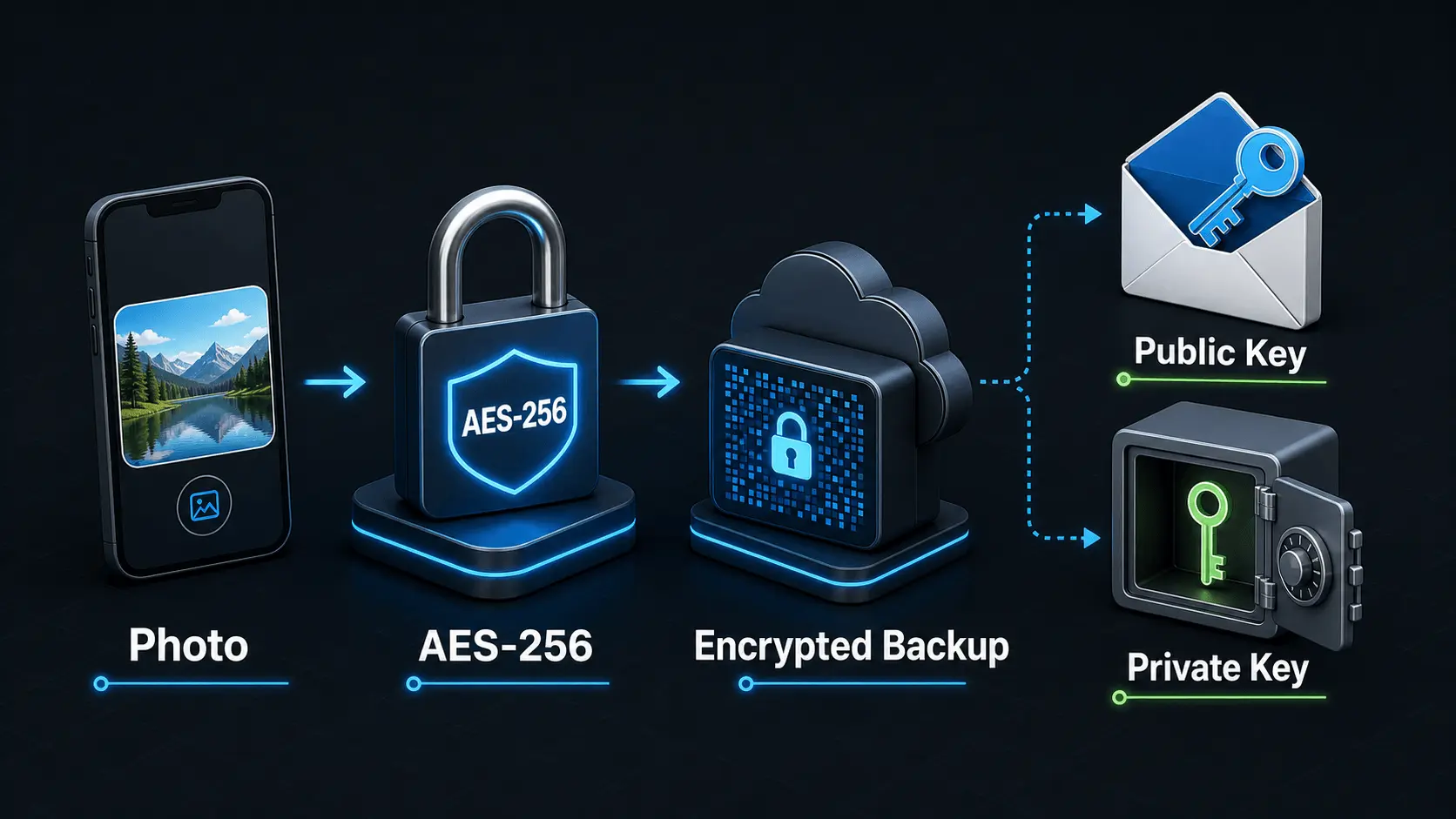
How Does Encryption Work?
A simple explanation of how encryption protects private photos and videos, how AES-256 works in Safety Photo+Video, and how encryption passwords, public keys, and private keys fit together.
Read articleWhat Is Zero-Knowledge Photo Storage?
Learn what zero-knowledge photo storage means, how it works, why privacy-focused users prefer it, and how encryption can help protect private photos and videos from unauthorized access.
Read articleHow to Test a Private Photo Backup Without Erasing Your iPhone
Use this 15-minute backup drill to verify recent photos, large videos, older files, account access, and restore instructions without wiping your iPhone.
Read article