Can Photo Vault Apps See My Photos?
Learn how photo vault apps store photos, when providers can access your data, how encryption works, and what to look for when choosing a privacy-focused photo vault.
“The most important privacy question is not where your photos are stored. It is who can access them.”
By Sixbytes
One of the most common questions people have about photo vault apps is surprisingly simple:
Can the app see my photos?
It is a reasonable concern.
Many users store highly sensitive content inside private vaults:
- Family photos
- Personal videos
- Financial documents
- Medical records
- Identification documents
- Confidential screenshots
When an app promises privacy, users naturally want to know whether their content remains private from everyone, including the company that created the app.
The answer depends on how the vault is designed.
The Short Answer
Not all photo vault apps work the same way.
Some systems are designed so that the provider could potentially access stored data.
Others use encryption models that significantly reduce or eliminate provider visibility.
The important question is not whether the company wants to access your photos.
The important question is whether the system technically allows it.
Understanding How Photo Vaults Store Data
Most vault apps store photos in one of three ways:
Local Storage
Photos remain on your device.
Examples include:
- iPhone storage
- Android storage
- Local encrypted vaults
In this model:
- Photos never leave your device unless you choose to export or back them up.
- The provider generally has no direct access to the files.
Cloud Storage
Photos are uploaded to remote servers.
This creates recovery benefits but introduces additional privacy considerations.
Important questions include:
- Are files encrypted?
- Who controls the encryption keys?
- Can the provider decrypt stored files?
Hybrid Storage
Many modern vaults combine local storage and cloud backup.
Photos remain available locally while encrypted copies are stored remotely for recovery purposes.
This often provides the best balance between privacy and convenience.
Why Encryption Matters
Encryption is what separates a normal uploaded photo from a protected backup.
Without encryption:
Photo.jpg
remains readable.
With encryption:
Encrypted Data
is stored instead.
The encrypted version cannot be understood without the proper keys.
This dramatically changes who can access the content.
The Difference Between Storage and Access
Many users assume:
If a company stores my files, they can automatically see them.
This is not always true.
Storage and access are separate concepts.
A server may store encrypted data without having the ability to understand its contents.
Think of it like storing a locked safe inside a warehouse.
The warehouse owner can store the safe.
That does not automatically mean they can open it.
Different Privacy Models
Traditional Cloud Storage
In some systems:
- Files are uploaded
- Encryption may occur on the server
- The provider may control some or all encryption keys
This can simplify recovery but may increase trust requirements.
Client-Side Encryption
In client-side encryption systems:
- Files are encrypted before upload
- Encryption occurs on the user's device
- Servers receive encrypted data
This generally improves privacy because the provider receives protected data rather than raw files.
Zero-Knowledge Systems
Zero-knowledge systems go a step further.
The service:
- Stores encrypted data
- Does not possess decryption keys
- Cannot view file contents
This creates a stronger privacy boundary.
The tradeoff is that password recovery becomes more difficult because the provider cannot simply unlock your data.
Questions to Ask Any Photo Vault Provider
Before trusting a vault with sensitive media, consider asking:
How are files stored?
Local storage and cloud storage have different privacy implications.
Is encryption used?
Look for clear explanations of encryption architecture.
When does encryption happen?
Encryption before upload generally provides stronger privacy than encryption after upload.
Who controls the keys?
This may be the most important question of all.
Can support access my photos?
Privacy-focused providers should clearly explain their limitations and capabilities.
Why Privacy Policies Matter
Privacy policies are often overlooked.
However, they can provide useful information about:
- Data collection
- File handling
- Analytics
- Storage practices
A privacy-focused provider should be transparent about how user data is managed.
How Safety Photo+Video Approaches Privacy
Safety Photo+Video is designed around the principle that users should have control over their private media.
The app supports:
- Local storage workflows
- Cloud backup workflows
- Multiple privacy layers
- Encryption-focused architecture
As the platform evolves, future zero-knowledge encryption capabilities can further strengthen the separation between stored data and provider access.
The objective is simple:
Protect private photos while minimizing unnecessary exposure.
Common Myths
Myth: Every Vault Can See My Photos
False.
Different vaults use different storage and encryption architectures.
Myth: Cloud Storage Is Automatically Unsafe
False.
Strong encryption can significantly improve cloud privacy.
Myth: Local Storage Guarantees Privacy
Not necessarily.
Local storage protects against some risks but introduces others such as device loss and hardware failure.
Myth: Encryption Makes Recovery Impossible
Not always.
Recovery depends on how keys and backups are managed.
How to Choose a Privacy-Focused Photo Vault
Look for:
- Transparent security documentation
- Clear backup explanations
- Encryption details
- Strong authentication
- Recovery planning
- Honest privacy communication
Providers who openly explain their architecture are often easier to trust than those who simply claim to be secure.
Final Verdict
Can photo vault apps see your photos?
Sometimes.
It depends entirely on how the system is designed.
The most privacy-friendly vaults minimize provider access through strong encryption, thoughtful key management, and transparent security practices.
When evaluating a photo vault, focus less on marketing claims and more on architecture.
The strongest privacy protections are usually the ones built directly into the system itself.
Frequently Asked Questions
Protect your private photos and videos
Download Safety Photo+Video for a private media vault with flexible locks and optional zero-knowledge encrypted backup.
Available for iPhone, iPad, and Android.
Related Articles
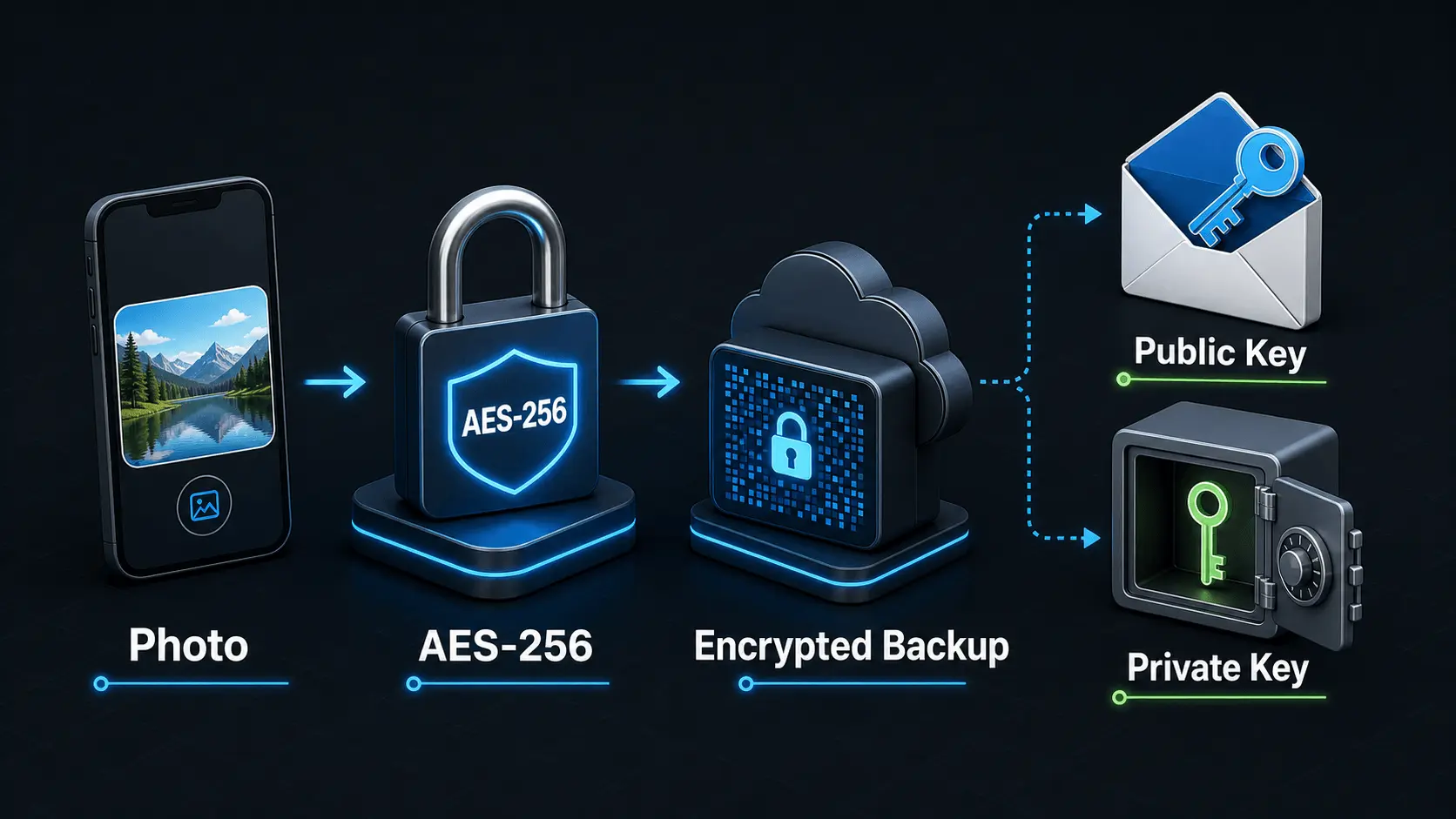
How Does Encryption Work?
A simple explanation of how encryption protects private photos and videos, how AES-256 works in Safety Photo+Video, and how encryption passwords, public keys, and private keys fit together.
Read articlePrivate Photo Backups: A Practical Starting Guide
A practical guide to building a private photo and video backup routine that protects sensitive media, stays current automatically, and gives you a clear restore plan before a device is lost, damaged, or replaced.
Read articleLocal Storage vs Cloud Photo Vaults: Which Is Better for Privacy?
Compare local storage and cloud photo vaults to understand the differences in privacy, security, backup protection, recovery, and convenience. Learn which approach is best for protecting private photos and videos.
Read article