Private Photo Vault Basics
Learn what a private photo vault does, which files belong in one, and how encryption, backup, and recovery habits work together to protect personal media.
“A private photo vault is most useful when it protects the files themselves, not only the screen that opens them.”
By Sixbytes
A private photo vault is a place for media that deserves more care than the regular camera roll. It can protect personal memories, sensitive screenshots, work records, travel documents, receipts, medical images, and videos you do not want casually visible when someone borrows your phone.
The best vault habit is not about hiding everything. It is about deciding which files would create real risk if they were lost, shared, or opened by the wrong person. Once you know which files matter, you can protect them with encryption, backup, and a recovery plan.
Think In Layers
Your phone lock is the first layer. App access is another layer. Encryption is the layer that protects the file contents themselves. A private backup adds resilience so one lost or damaged device does not erase the only copy.
Those layers work best together. A strong device passcode helps protect the phone. A private app space helps separate sensitive media from everyday photos. Encryption helps keep backed-up files unreadable without the right key. Backup helps you recover if the device disappears.
It helps to think about what each layer is supposed to do. The device passcode keeps someone from casually opening your phone. App access keeps private media separate from the normal camera roll. Encryption protects the actual data so a stored backup is not simply a readable copy. A backup gives you a way to get your files back if the phone is lost, damaged, or replaced.
No single layer solves every problem. A device lock does not help much if you accidentally share a sensitive image. A hidden album does not help if the only copy disappears with a broken phone. A backup is not private enough if the files are stored in a readable form. The strongest setup is usually boring in the best way: several simple protections working together quietly.
Choose What Belongs
Start with files that would be hard to replace or uncomfortable to expose:
- Identity documents and travel records.
- Receipts, warranties, and project evidence.
- Family photos and private videos.
- Medical, financial, or legal screenshots.
- Work images that should not live in the open camera roll.
You do not need a perfect filing system. A simple habit of moving sensitive items into the vault soon after saving them is enough to reduce accidental exposure.
One useful habit is to sort by consequence, not by file type. A screenshot of a boarding pass, a video of a home repair, and a photo of a passport may not seem related, but they all reveal information that should be handled carefully. The same is true for photos that include children, addresses, legal documents, medical details, financial information, or work material.
Also watch for background information. A harmless-looking photo can include a computer screen, mail on a desk, a whiteboard, a location sign, a badge, or a private conversation visible in a notification. A vault is useful because you can move these files out of everyday browsing before they are shown during a casual scroll.
Build A Moving Routine
The easiest vault routine is the one you can repeat without thinking too hard. After saving or taking something sensitive, move it to the vault while the context is still fresh. If you wait weeks, the file becomes harder to identify, and it may already have been backed up, shared, or mixed into albums where it does not belong.
You might create a small review habit after travel, appointments, work visits, school events, inspections, or projects. Those are moments when people often capture practical images: documents, receipts, IDs, rooms, equipment, or screens. A five-minute review can clean up the camera roll and make sure the important private files are stored where you expect.
Avoid turning the vault into a dumping ground for everything. If every photo is treated as high risk, it becomes harder to find what matters. Keep everyday photos in everyday places and reserve the vault for files that deserve extra privacy, stronger backup attention, or more careful recovery.
Understand What A Vault Does Not Do
A private vault is powerful, but it is not magic. It cannot stop someone from viewing a file that you intentionally send to them. It cannot remove a photo from someone else's device after sharing. It cannot fix a weak phone passcode, an exposed account password, or an Encryption Password stored in an unsafe place.
That is why privacy habits still matter. Be careful with screenshots, shared albums, messaging apps, public Wi-Fi, borrowed devices, and support conversations. If a file is especially sensitive, think before exporting or sending it. The safest private file is one that is encrypted, backed up, and shared only when there is a clear reason.
Keep The Vault Usable
Security that is too hard to use tends to fail quietly. If you cannot find your files, recover your password, or understand what is backed up, the vault can become stressful instead of helpful. Keep names, albums, or tags simple enough that future you can understand them.
For important records, consider grouping related files together. Travel documents, medical photos, receipts, family records, work evidence, and home inventory images may each deserve their own organization pattern. You do not need a complex archive. You only need enough structure to avoid panic when you need something quickly.
Keep Recovery In Mind
Privacy without recovery can become a problem later. If your vault uses an Encryption Password, store that password somewhere secure before you need it. If you change devices, make sure you know which account contains the backup and which password unlocks it.
Recovery planning is part of privacy, not the opposite of it. A vault is meant to keep the wrong people out while still letting you back in. If the only copy of a password exists in memory, a stressful device loss can turn into a lockout. If the only copy of a file exists on one phone, a broken screen can become data loss.
Before relying on a vault, ask three questions: are the right files protected, is the backup current, and can I restore if this device disappears? If the answer to any of those is unclear, fix that gap while the phone is still in your hand.
A private vault should make your media safer and calmer to manage. Protect the files, keep the backup current, and make sure future you can still get back in.
Frequently Asked Questions
Protect your private photos and videos
Download Safety Photo+Video for a private media vault with flexible locks and optional zero-knowledge encrypted backup.
Available for iPhone, iPad, and Android.
Related Articles
How Does Encryption Work?
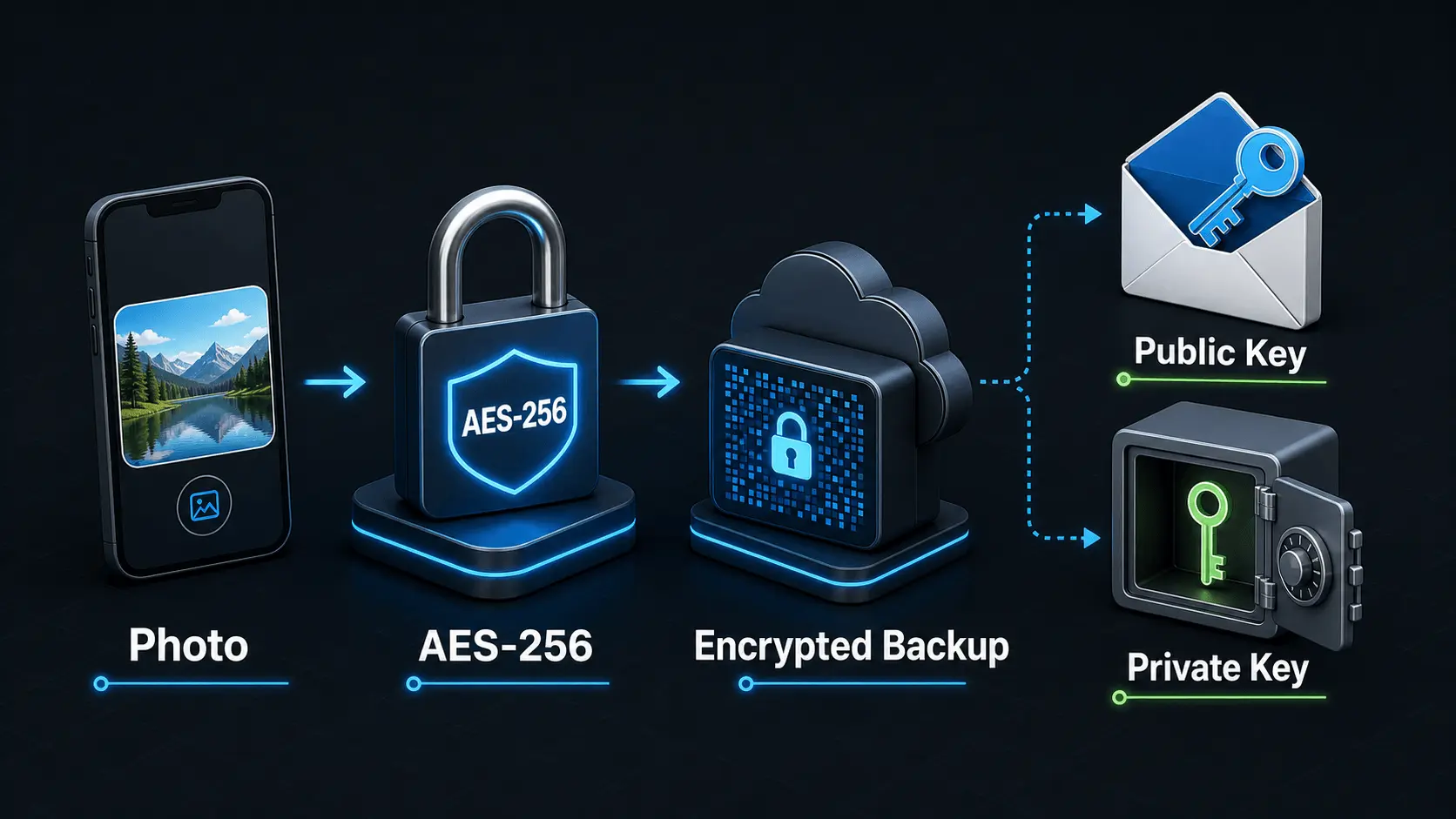
A simple explanation of how encryption protects private photos and videos, how AES-256 works in Safety Photo+Video, and how encryption passwords, public keys, and private keys fit together.
Read articleWhy Your Encryption Password Matters
Learn why your Encryption Password is central to private photo and video protection, how it differs from an account password, and which habits help you keep it strong, private, and recoverable.
Read article